Cursive Reader: Convert Handwriting to Text
Upload cursive notes, letters, journal pages, images, or scanned PDFs. Turn connected handwriting into editable text you can review, copy, and export.
Cursive styles vary, so always review names, dates, numbers, and unclear words.
Read cursive writing without transcribing every line by hand
The cursive reader is tuned for connected writing and returns editable text while keeping you in control of the final review.
Cursive Handwriting OCR
Read connected handwriting, flowing letters, and cursive notes from clear images or scans.
Handwriting to Text
Use the broader handwriting workflow for notes, forms, images, PDFs, and scanned pages.
Handwritten Image to Text
Extract handwriting from image files, note photos, screenshots, and scanned pages.
Handwritten PDF to Text
Convert handwritten PDF pages, scanned notebooks, and document packets into text.
Image to Text
Extract printed text from photos, screenshots, scans, labels, and document images.
PDF to Text
Extract printed or scanned text from PDF files and image-based PDF pages.
Cursive handwriting example
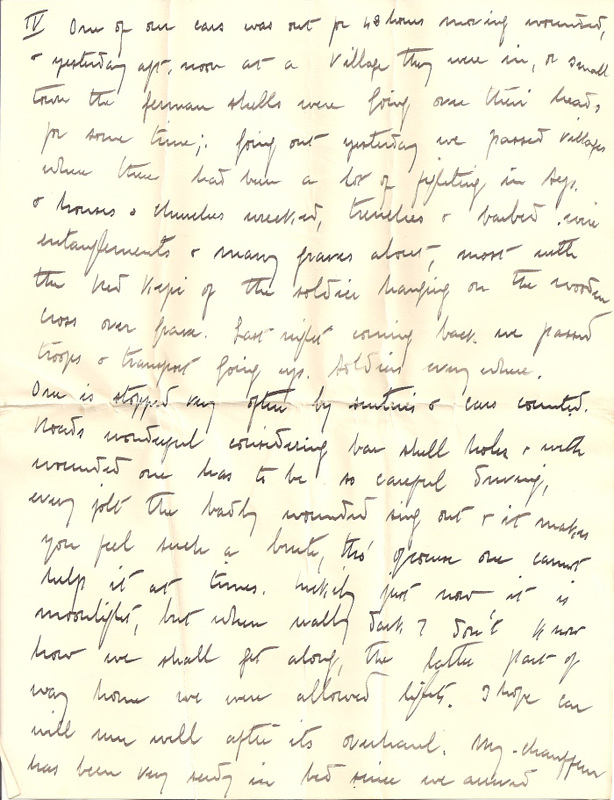
How it works
Upload cursive handwriting, extract text, and review the result.
Upload your cursive writing
Add a photo, scanned page, handwritten PDF, notebook image, letter, or document that contains cursive writing.
Extract readable text
The OCR engine reads the visible writing and prepares recognized text for review and correction.
Copy or export
Review the result carefully, fix unclear words, then copy the text or export it for later use.
What an online cursive reader can handle
Cursive OCR can speed up transcription, but image quality and writing style still determine how much review is needed.
| Needs extra review | Best input |
|---|---|
| Faded ink, stains, or show-through | Sharp scans with strong contrast |
| Very small or heavily flourished writing | Consistent cursive with visible spacing |
| Several writers on the same page | Straight pages with complete lines |
| Names, dates, and unfamiliar abbreviations | Letters, notes, and journals with context |
Built for real-world cursive handwriting tasks
Use cursive handwriting OCR when connected writing needs to be reviewed, copied, archived, or reused digitally.

Digitizing cursive notes
Convert personal notes, notebook pages, meeting notes, study material, and handwritten drafts into editable text.

Reading letters and records
Extract text from handwritten letters, archive pages, old records, family documents, and scanned cursive writing.

Reviewing handwritten forms
Read cursive or semi-cursive fields from forms, checklists, field notes, intake sheets, and paper records.
FAQ
Common questions about converting cursive handwriting to text.
What is cursive handwriting to text?
Is there a cursive reader I can use online?
Can it read all cursive handwriting?
What files can I upload?
How is this different from handwriting to text?
Can it process cursive handwriting in PDFs?
Can it read old letters or archive documents?
How can I improve the result?
Are uploaded files stored?
Convert cursive handwriting to text
Upload cursive notes, letters, scanned pages, or handwritten PDFs and turn connected writing into editable text.