Image to Table Converter
Upload a photo, screenshot, or scan that contains a table. Detect rows, columns, and cell text, then review the result or download it as Excel or CSV.
For the best result, crop the image to the table and keep column headers visible.
Table OCR online for photos, screenshots, and scans
Turn a table image into editable rows and columns instead of one unstructured block of text. Choose the workflow that matches the image you have.
Image Table to Text Table
Convert a table image into an editable text table while keeping values associated with their rows and columns.
Photo to Table
Extract table data from phone photos of paper documents, reports, labels, price lists, and printed sheets.
Screenshot to Table
Copy rows and columns from app screenshots, web captures, dashboard images, and spreadsheet screenshots.
Scanned Page Tables
Extract table content from scanned pages and image-based document files.
PDF to Excel
Working with a PDF instead of an image? Convert PDF tables into spreadsheet-ready data.
Image to Text
Need regular image OCR? Extract text from photos, screenshots, scans, labels, and menus.
Image to table converter examples
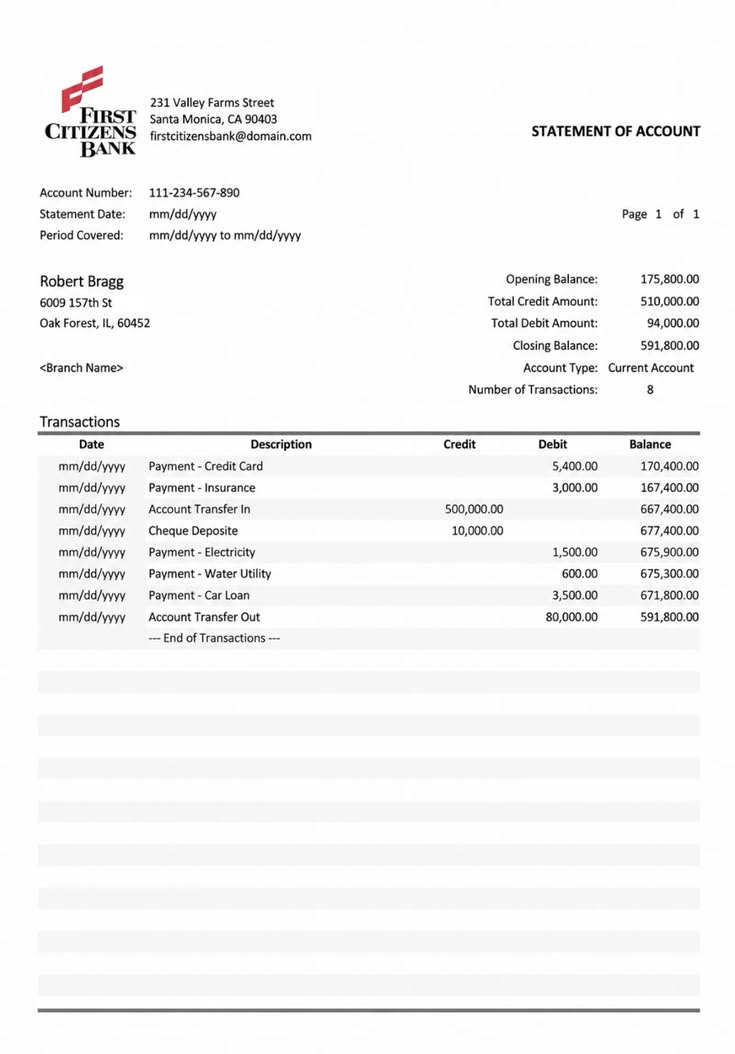
How it works
Upload a table image, extract rows and columns, and review the result.
Upload your image
Add a photo, screenshot, scanned page, or document image that contains table-like data.
Extract table content
The OCR engine reads the visible table and prepares rows, columns, and cell text for review.
Copy or export
Review the extracted data, fix any unclear cells, then copy the table or use it in a spreadsheet workflow.
When image-to-table OCR works best
Table extraction is strongest when the visual structure is clear and each value belongs to an identifiable row and column.
| Needs extra review | Best input |
|---|---|
| Blurred or low-resolution screenshots | Sharp images with readable cell text |
| Strong perspective or folded paper | Straight, evenly lit pages |
| Nested tables and many merged cells | Visible headers and consistent columns |
| Values covered by stamps or handwriting | One primary table per image |
Built for real-world image table tasks
Use image table extraction when rows and columns are trapped inside photos, screenshots, scans, or image-based documents.

Capturing table photos
Extract rows and columns from photographed reports, printed sheets, schedules, inventory lists, and paper tables.

Copying tables from screenshots
Turn dashboard screenshots, app tables, web captures, price lists, and screen images into editable data.

Reusing scanned table data
Read tables from scanned pages, archive images, document photos, research materials, and image-based records.
FAQ
Common questions about extracting tables from images.
What is image to table?
What image formats are supported?
How is this different from image to text?
Can it extract tables from screenshots?
How do I convert an image table to a text table?
Can I turn a photo of a table into Excel?
Can it handle complex tables?
Can I download an image table as Excel or CSV?
Can it extract more than one table from an image?
How can I improve image table extraction?
Are uploaded images stored?
Extract tables from images in seconds
Upload a photo, screenshot, scan, or table image and turn visible rows and columns into editable data.