Handwriting to Text Converter
Turn handwritten notes into digital text without typing every line. Upload an image or PDF, review the recognized writing, then copy or export the result.
For cursive-only pages, use the dedicated Cursive Reader for more targeted processing.
Choose the right handwriting OCR workflow
Start here for mixed uploads and general handwritten notes, or open a focused tool for images, PDFs, or cursive writing.
Handwriting to Text
Convert handwritten notes, notebook pages, forms, and written documents into editable text.
Handwritten Image to Text
Extract text from photos, screenshots, and image files that contain handwriting.
Handwritten PDF to Text
Read handwriting from scanned PDFs, multi-page notes, and handwritten document packets.
Cursive Handwriting to Text
Convert cursive, connected, and less structured handwriting into digital text for review.
Image to Text
Need regular printed OCR? Extract text from photos, scans, screenshots, and document images.
PDF to Text
Extract printed or scanned text from PDF files and image-based PDF pages.
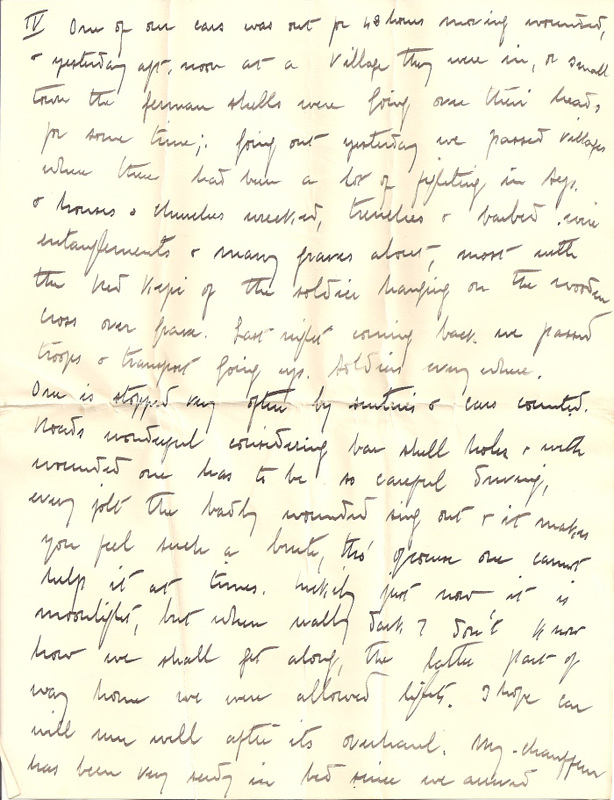
Handwriting to text examples
How it works
Upload handwriting, extract text, and review the result.
Upload your handwritten file
Add a photo, scanned page, handwritten PDF, notebook image, form, or cursive writing sample.
Extract handwritten text
The OCR engine reads the visible writing and prepares editable text for review, copying, or export.
Copy or export
Review the extracted text, correct anything unclear, then copy it or export the result as TXT, DOCX, Excel, or searchable PDF.
Use this page as the general handwriting converter
This workflow is best for mixed handwriting tasks; the focused tools handle more specific file types and search intents.
| Use a focused tool | Use handwriting to text |
|---|---|
| Only JPG, PNG, WEBP, or HEIC files | A mix of handwritten notes and forms |
| A long multi-page handwritten PDF | Printed text with handwritten additions |
| Primarily cursive or connected writing | Images and PDFs in the same task |
| A table that must retain rows and columns | General notes that need editable text |
Built for real-world handwriting tasks
Use handwriting OCR when written notes, forms, scans, or notebook pages need to become editable digital text.

Digitizing notes and notebooks
Turn class notes, meeting pages, personal notebooks, study material, and handwritten drafts into text for review.

Processing handwritten forms
Extract written content from application forms, intake sheets, field notes, checklists, and paper records.

Reviewing scanned handwriting
Convert scanned letters, archive pages, handwritten PDFs, and older handwritten documents into searchable text.
FAQ
Common questions about converting handwriting to text.
What is handwriting to text?
How do I convert handwritten notes to digital text?
What file types can I upload?
Can it read cursive handwriting?
Can I upload a handwritten PDF?
How accurate is handwriting OCR?
Can it read printed text and handwriting together?
Can I export the result?
Are uploaded handwritten files stored?
Convert handwriting to text in seconds
Upload handwritten notes, scans, images, or PDFs and turn written content into editable text.