Image to Text Converter
Upload a document photo, scanned page, label, receipt, menu, or other image. Extract visible words into editable text you can review, copy, and download.
For screenshots, tables, or handwriting, choose the focused OCR tool below.
Extract regular text or switch to a focused image tool
Use this converter for printed text in general images, or choose a dedicated workflow when layout, tables, or handwriting matters.
Photo to Text
Extract text from phone photos, document pictures, labels, posters, signs, and printed pages.
Screenshot to Text
Copy text from app screenshots, website captures, phone screens, and image-based content.
Scanned Image OCR
Turn scanned pages and image-based documents into editable text you can copy or export.
Image to Table
Extract table data from images and prepare rows and columns for spreadsheet review.
Handwritten Image to Text
Convert handwritten notes, forms, and photographed handwriting into digital text.
Image Tables to Spreadsheet
Extract table-like data from images and use it for spreadsheet workflows.
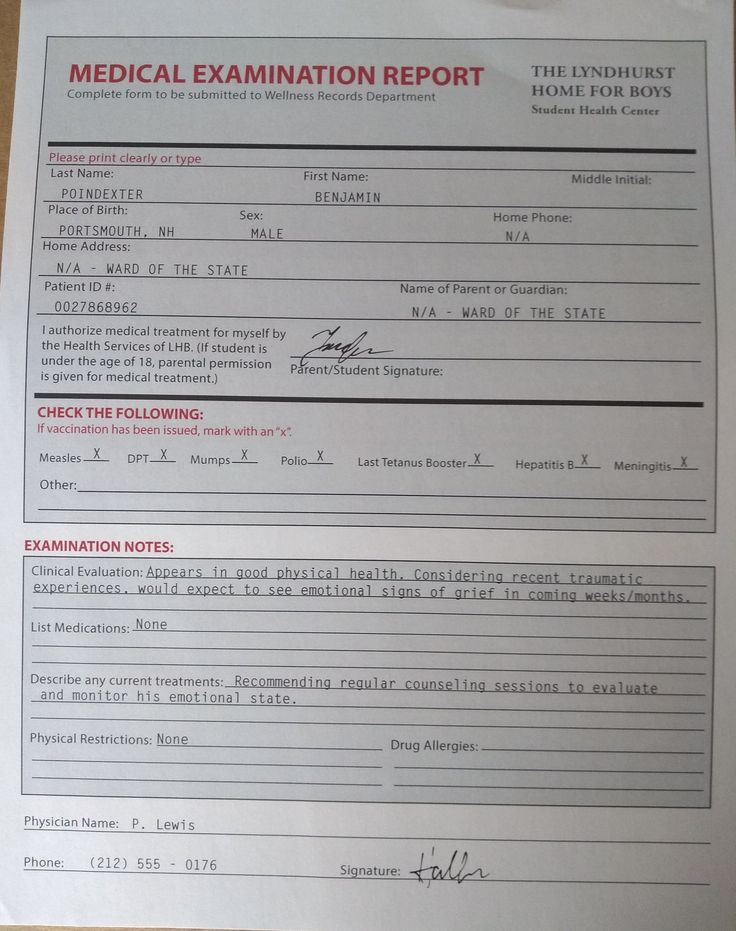
Image to text OCR examples
How it works
Upload an image, extract text, and export the result.
Upload your image
Add a JPG, PNG, WEBP, HEIC, screenshot, scanned page, or document photo. The image can contain printed text, tables, labels, or handwriting.
Extract visible text
The OCR engine reads the image, detects text regions, and prepares the recognized text for review, copying, or export.
Copy or export
Review the extracted text, make corrections if needed, then copy it or export the result as TXT, DOCX, or Markdown.
Use general image OCR or a focused converter?
This page is best for ordinary printed text. A dedicated workflow can preserve more useful structure for specialized files.
| Choose a focused tool for | Use image to text for |
|---|---|
| App, web, chat, or terminal screenshots | Document photos and scanned printed pages |
| Rows and columns that need spreadsheet output | Labels, signs, menus, posters, and packaging |
| Handwritten notes or cursive writing | Receipts and ordinary paper documents |
| Multi-page or scanned PDF documents | JPG, PNG, WEBP, and HEIC image files |
Built for real-world image OCR tasks
Use image OCR when the text you need is locked inside a photo, screenshot, scan, or image-based document.

Digitizing document photos
Extract text from photographed reports, letters, contracts, forms, receipts, printed pages, and paper records.

Copying text from screenshots
Pull text from app screens, website captures, chat images, error messages, slides, and mobile screenshots.

Reusing table data
Extract rows and columns from photographed tables, schedules, inventory sheets, logs, and printed spreadsheets.
Image to text FAQ
Common questions about extracting text from images.
What is image to text OCR?
What image formats are supported?
Can I copy text from a screenshot?
Can it read handwriting in images?
Can it extract tables from images?
Can I export the OCR result?
How do I extract text from a photo?
How do I get better OCR results?
Are uploaded images stored?
Extract text from images in seconds
Upload a photo, screenshot, scan, or image-based document and turn visible text into editable output.