Handwritten Image to Text Converter
Take a photo or upload an image of handwritten notes, forms, whiteboards, or letters. Extract the visible writing into text you can edit and reuse.
Working with several pages in one PDF? Use Handwritten PDF to Text instead.
OCR designed for handwriting inside images
This focused workflow accepts image files and helps you prepare phone photos and scans for accurate handwriting extraction.
Handwritten Photo OCR
Extract text from phone photos of notes, letters, forms, whiteboards, and handwritten pages.
Scanned Handwritten Page
Read handwriting from scanned image files and paper pages saved as JPG, PNG, WEBP, or HEIC.
Handwriting to Text
Need a broader handwriting workflow? Convert notes, images, PDFs, and scanned pages.
Cursive Handwriting to Text
Convert connected or cursive handwriting from clear image files into digital text.
Image to Text
Extract printed text from photos, screenshots, labels, menus, and scanned images.
Handwritten PDF to Text
Working with a PDF instead of an image? Extract handwriting from scanned PDF pages.
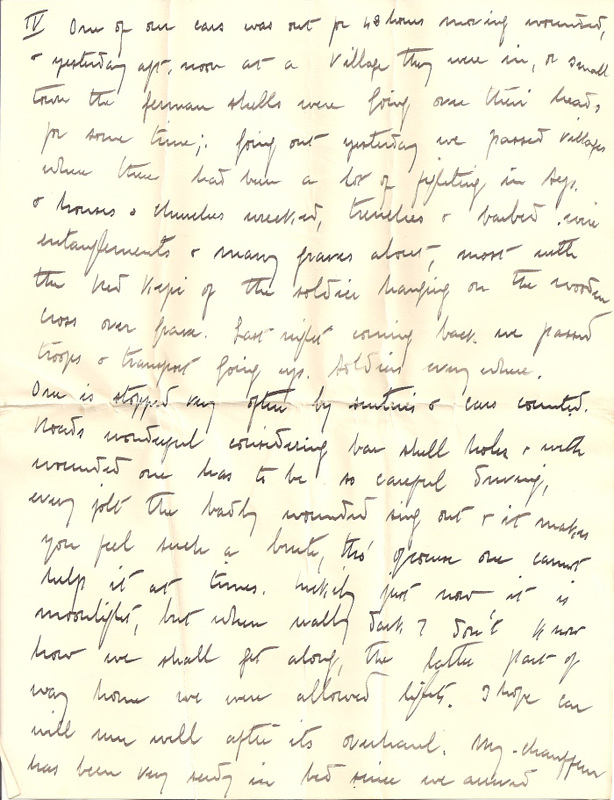
Handwritten image OCR examples
How it works
Upload a handwritten image, extract text, and review the result.
Upload your image
Add a photo, screenshot, scanned page, notebook image, or document picture that contains handwriting.
Extract handwritten text
The OCR engine reads the visible writing in the image and prepares editable text for review.
Copy or export
Check the extracted text, correct anything unclear, then copy it or export the result for later use.
Best images for handwriting extraction
A clean image lets OCR focus on letter shapes instead of perspective, shadows, and background objects.
| Needs extra review | Best input |
|---|---|
| Angled photos with narrow text lines | Sharp JPG, PNG, WEBP, or HEIC files |
| Blur, glare, or shadows over words | Even light and strong ink contrast |
| Busy backgrounds around the page | A straight crop with complete lines |
| Several tiny pages in one image | One readable handwritten page per image |
Built for real-world handwritten image tasks
Use handwritten image OCR when notes or written pages are saved as photos, screenshots, or scanned images.

Digitizing note photos
Convert notebook pages, class notes, meeting notes, sticky notes, and personal writing into editable text.

Reading handwritten forms
Extract written details from photographed forms, checklists, field notes, intake sheets, and paper records.

Archiving handwritten images
Turn scanned letters, old notes, family records, and archive images into text that is easier to search.
FAQ
Common questions about converting handwritten images to text.
What is handwritten image to text?
How do I extract handwritten text from an image?
What image formats are supported?
How is this different from handwriting to text?
Can it read messy handwriting?
Can it read cursive handwriting in an image?
Can I upload a photo from my phone?
How can I improve the result?
Are uploaded images stored?
Convert handwritten images to text
Upload a photo, scan, or screenshot of handwriting and turn the visible writing into editable text.