PDF to Table Converter
Upload a report, statement, schedule, or scanned PDF. Detect table boundaries, recover rows and columns, and review every extracted table before export.
Need a ready-to-download workbook? Use PDF to Excel for XLSX-first output.
Preserve table structure instead of flattening it into text
This workflow focuses on detecting headers, cells, rows, and columns across native and scanned PDF pages.
PDF Table Detection
Read tables from PDF pages and keep rows and columns easier to review after extraction.
Scanned PDF Tables
Extract table data from scanned PDFs where the table is part of a page image.
Multi-page Table OCR
Process tables across multiple PDF pages when working with longer reports or document packets.
PDF to Excel
Need spreadsheet output? Convert extracted PDF tables into Excel-ready data.
PDF to Text
Extract regular text from PDF pages when the document is not mainly table-based.
Handwritten PDF to Text
Extract text from handwritten PDF pages and scanned notes when the file contains handwriting.
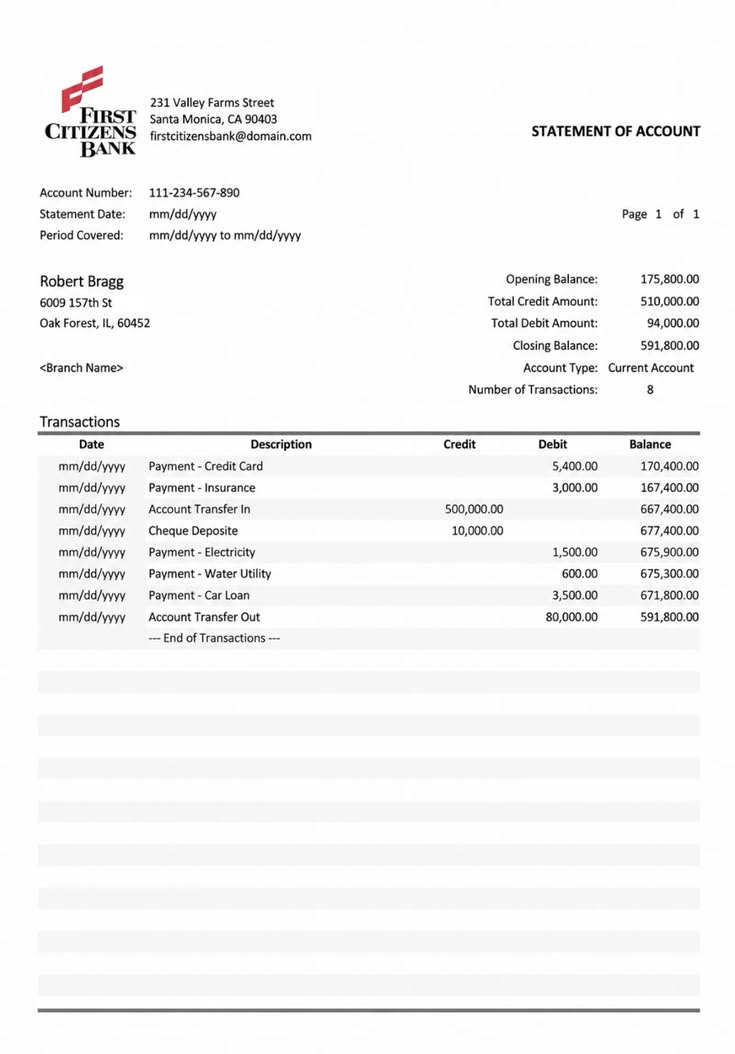
PDF table extraction examples
How it works
Upload a PDF, extract table data, and review the result.
Upload your PDF
Add a PDF file, scanned report, statement, schedule, or multi-page document that contains table-like data.
Extract rows and columns
The OCR engine reads visible table content, detects text in cells, and prepares structured output for review.
Copy or export
Review the extracted table, correct any unclear cells, then copy the result or export it for spreadsheet use.
PDF to Table or PDF to Excel?
Both use table-aware OCR, but the final workflow is different.
| Choose PDF to Excel | Choose PDF to Table |
|---|---|
| The main deliverable must be an XLSX file | You want to inspect detected table structure |
| Multiple tables need separate worksheets | Rows and columns need review before export |
| The data will continue into spreadsheet analysis | The PDF contains several different layouts |
| Fast workbook download is the priority | Copying or checking the table is the priority |
Built for real-world PDF table tasks
Use PDF table extraction when structured data is locked inside reports, statements, forms, or scanned PDF pages.

Reusing report tables
Extract rows and columns from financial reports, research documents, schedules, statements, and scanned business PDFs.

Cleaning operational data
Pull table data from inventory lists, logs, price sheets, inspection records, and recurring document packets.

Reviewing forms and records
Read table-like sections from applications, intake sheets, checklists, field reports, and semi-structured records.
FAQ
Common questions about extracting tables from PDF files.
What is PDF to table?
Can it extract tables from scanned PDFs?
How is PDF to table different from PDF to Excel?
Can it handle multi-page PDFs?
Will merged cells and complex layouts work perfectly?
Can I copy the extracted table?
Should I export a PDF table as CSV or XLSX?
Can it extract multiple tables from one PDF?
How can I improve table extraction results?
Are uploaded PDFs stored?
Extract tables from PDFs in seconds
Upload a PDF, scanned report, statement, or table document and turn visible rows and columns into editable data.