How to Convert Handwritten Notes to Text
A practical workflow for turning handwritten notes into editable digital text with handwriting OCR, careful review, and useful organization.
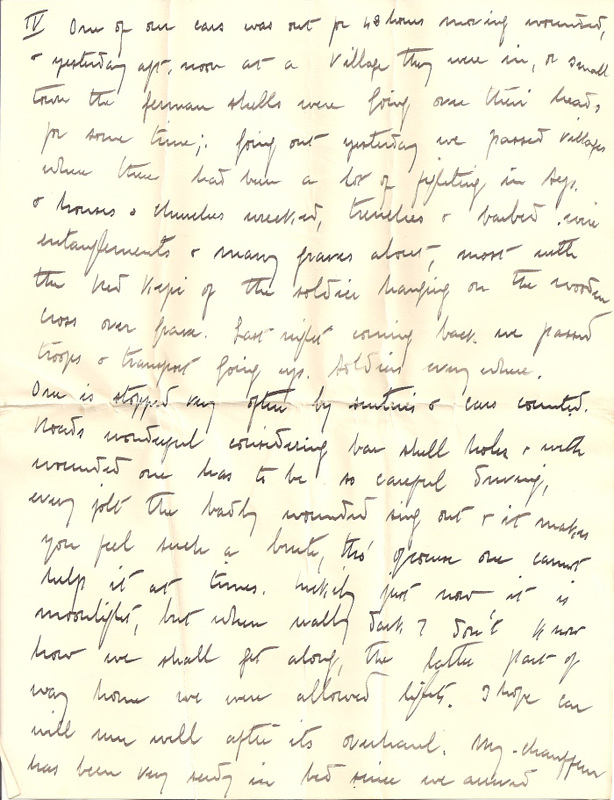
In this guide
Key takeaways
- Use a sharp, straight, evenly lit photo or scan before running handwriting OCR.
- Choose a workflow that matches a single image, connected cursive, or a multi-page PDF.
- Review names, dates, numbers, bullets and uncertain words against the original page.
- Add titles, dates and tags so converted handwritten notes remain useful and searchable.
Start with the clearest version of the notes
The fastest way to convert handwritten notes to text is to begin with a clear source. Use the original notebook page when possible. If you only have a photo, choose the image with the sharpest letters, straightest page and most even lighting. Small improvements before handwriting OCR can remove many corrections later.
Decide whether you are processing one image, several loose pages or a multi-page PDF. This determines the most efficient workflow. A single note photo is easy to crop and upload, while a semester notebook or a meeting archive is easier to manage as an ordered PDF.
Phone photo
Best for one or two pages when the camera is parallel to the paper.
Flatbed scan
Produces even lighting and consistent scale for handwriting OCR.
Image file
Useful for whiteboards, forms, note cards and saved notebook photos.
Handwritten PDF
Keeps longer sets of notes in page order for one combined export.
Prepare handwriting for accurate recognition
To convert handwritten notes to text accurately, make the writing easy to distinguish from everything around it. Place the paper on a plain surface, flatten folded corners and use light from both sides to reduce shadows. Keep the full line visible; aggressive cropping can remove bullets, dates or words written near the margin.
Rotate the page until the baseline is horizontal. Increase contrast gently if pencil marks are faint, but avoid filters that erase thin strokes. If ink shows through from the reverse side, place dark paper behind the sheet before taking a new photo. Clean input gives the handwriting-to-text model better evidence for every letter.
Before handwriting OCR
- The smallest writing is sharp when the image is viewed at full size.
- No hand, shadow or object covers the page.
- Lines are straight and the page is not photographed at an angle.
- Headers, bullets, checkboxes and page numbers remain visible.
- Each page has a clear order before it is uploaded.
Convert handwritten notes to text step by step
Use a dedicated Handwriting to Text converter when the file contains ordinary notes, mixed print and cursive, forms or notebook pages. Keep the source visible beside the recognized result so you can correct ambiguous words before exporting them.
- 1
Upload the clearest file
Choose a JPG, PNG, WEBP, HEIC or PDF that preserves the original handwriting detail.
- 2
Run handwriting OCR
Let the converter recognize the writing and create an editable first draft.
- 3
Compare with the page
Review unclear words, names, dates, numbers, bullets and line breaks against the image.
- 4
Organize and export
Add headings or tags, then copy the text or save it in an editable document format.
Match the OCR workflow to the writing
Handwritten notes vary more than printed documents. Neat block letters, quick meeting notes, cursive journal entries and filled forms create different recognition problems. Choosing a focused tool helps preserve the useful structure while converting handwritten notes to text.
| Source | Recommended workflow | Review closely |
|---|---|---|
| Notebook photo | Handwritten Image to Text | Line order and cropped margins |
| Mixed everyday notes | Handwriting to Text | Abbreviations and bullets |
| Connected cursive | Cursive Handwriting to Text | Names and unusual letter forms |
| Multi-page note packet | Handwritten PDF to Text | Page order and repeated headers |
Use Handwritten Image to Text for individual photos and scans. Choose Handwritten PDF to Text for longer documents. If most letters connect, the Cursive Readermay produce a more useful first draft.
Review the handwritten notes to text result
Handwriting OCR is a drafting tool, not an authority. Writers often use personal abbreviations, incomplete punctuation and letter shapes that only make sense in context. Review the digital text one line at a time, especially where the original writing is faint or crowded.
- Check names, email addresses, dates, measurements and totals.
- Restore bullets and indentation when they carry meaning.
- Keep uncertain words in brackets instead of silently guessing.
- Compare repeated terms to learn the writer's letter shapes.
- Preserve the original page number in longer note collections.
Context resolves many errors. A project name repeated in a heading can confirm the same word later in the page. A lecture topic narrows the vocabulary used in the notes. When you convert handwritten notes to text in batches, build a short glossary of names and specialist terms so every page uses consistent spelling.
Organize the digital notes after OCR
The benefit of converting handwritten notes to text is not limited to avoiding retyping. Digital notes can be searched, grouped, summarized and reused. Add a descriptive title, the original date, a source label and a few stable tags as soon as the text is corrected.
Preserve meaningful structure. Keep one idea per paragraph, use real list formatting for action items and mark decisions separately from open questions. For class notes, retain course, lecture and page information. For meetings, separate attendees, decisions, tasks and deadlines.
Meeting notes
Tag the project and date, then separate decisions from assigned actions.
Class notes
Keep lecture headings, definitions, examples and source page references.
Research notes
Record the source and preserve quotations separately from personal comments.
Personal notebooks
Use dates and broad topics so the converted text remains easy to search.
Improve results for cursive or messy handwriting
Messy handwriting does not always require manual transcription from scratch. Start by dividing the page into smaller logical areas. A crop containing one paragraph gives OCR less clutter to interpret. Compare repeated letters and common word endings, then correct the draft using context from the surrounding notes.
If the writer uses strongly connected cursive, read how to read cursive handwriting before reviewing the output. A letter map helps identify recurring capitals and short words that handwriting OCR may interpret differently on each line.
Build a repeatable notes workflow
If you regularly convert handwritten notes to text, use the same capture position, filename pattern and review checklist every time. Consistency makes pages easier to sort and lets you compare OCR quality across notebooks. Include the note date and topic in the filename before uploading so the digital copy is identifiable after export.
Create one destination for corrected notes rather than leaving downloads scattered across devices. When you convert handwritten notes to text for a shared project, assign one reviewer to confirm terminology and another to check actions or dates. This keeps editing decisions consistent.
A reusable template can include source, date, title, summary, decisions and follow-up tasks. The template turns every attempt to convert handwritten notes to text into an organized record instead of an isolated OCR result.
Keep private notes private
Handwritten notes may contain personal details, client information, medical records or unpublished ideas. Check the service's privacy and retention terms before uploading sensitive material, and confirm that you have permission to process notes written by someone else.
Store the digital result securely after you convert handwritten notes to text. Remove temporary files from shared devices, restrict access to private exports and keep the original image when future verification is important.
Final handwriting conversion checklist
A good handwritten notes to text workflow ends with a usable document. Check that the ideas remain in the right order, important facts match the page and uncertain writing is clearly marked. Keep the source beside the corrected text instead of treating the OCR draft as the only record.
Before you finish
- Every page or image has been converted in the correct order.
- Names, dates, numbers and action items match the handwriting.
- Headings, bullets and paragraph breaks preserve the original meaning.
- The digital notes include useful dates, titles and search tags.
- The source images and corrected text are stored with appropriate access controls.
Related OCR guides
Continue with a workflow for another document or OCR task.